
Managing your subscription
See your current plan and usage, redeem a coupon or activation code, and request plan or cancellation changes from the bont billing team.
The Billing page shows the workspace's current subscription and usage. You can redeem a coupon or activation code there, including while a subscription is already active. Upgrades, downgrades, plan switches, cancellations and seat changes still go through the bont billing team.
Step 1 · Open Billing
Open the workspace you want to manage, then Settings → Billing. Each app (pure bont, base bont, pitch bont, funky bont) has its own billing page because subscriptions are scoped per app.
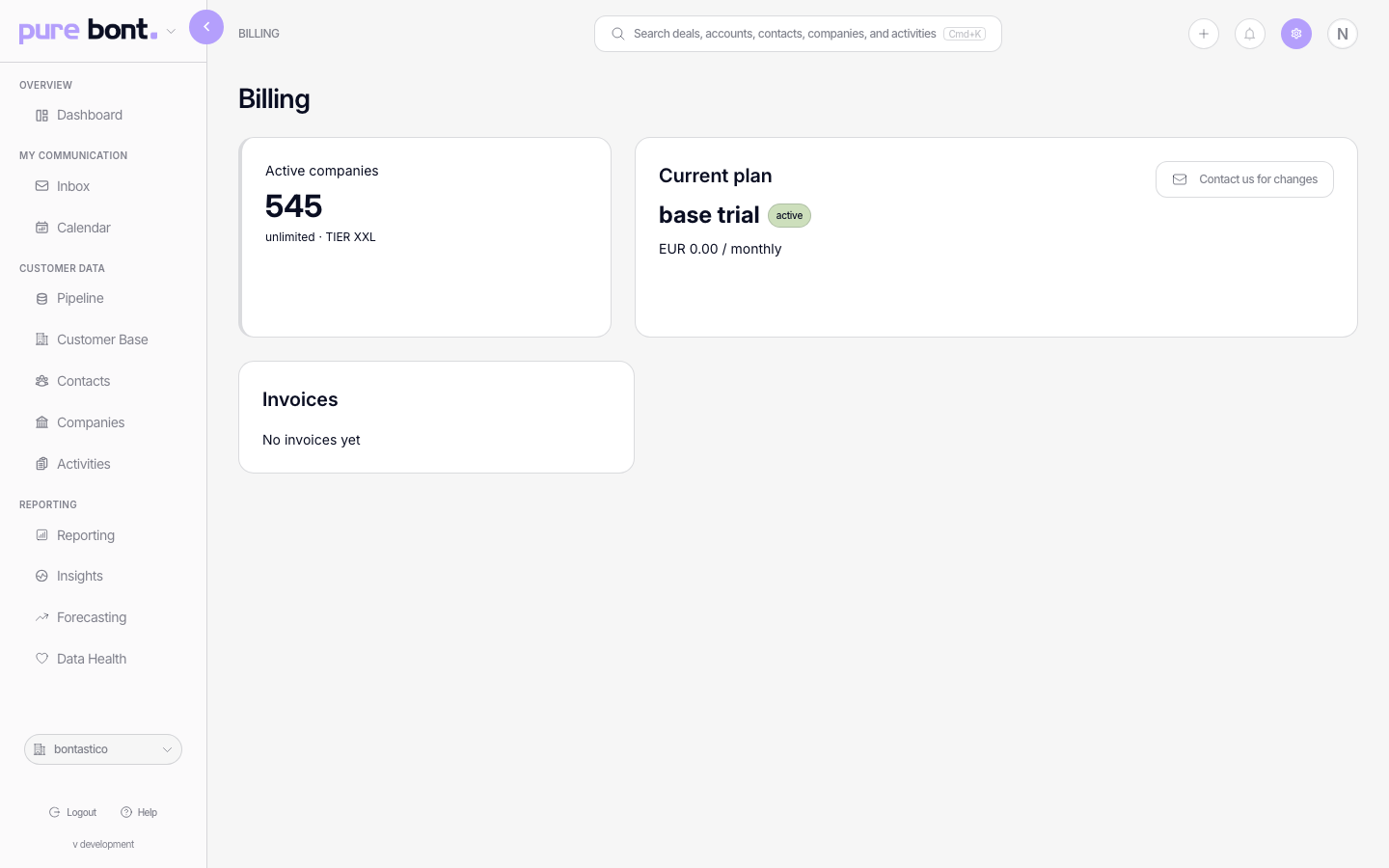
Step 2 · Check your current plan
The Current plan card shows what you're paying for and the next billing date. The Active companies card shows usage against the plan's limit (or "unlimited" on enterprise tiers). If the card reads No active plan, billing hasn't started yet — see Applying an activation code if you've been given a trial or pre-paid code, or contact billing@bont.ai for a new subscription.
Step 3 · Request a change
Every change goes through the bont billing team. Email billing@bont.ai with what you need:
- Upgrade or downgrade — say which plan you want and the workspace it should apply to.
- Add more seats / companies — say how many and from when.
- Cancel — confirm the workspace and effective date. We'll respect the current billing period unless you ask otherwise.
- Switch from monthly to annual (or back) — bont's plans can be billed monthly, quarterly or yearly; the billing team will pro-rate.
Changes typically take effect within one business day. The billing page reflects them automatically once they land.
Redeem a coupon or activation code
The code section is always available on Billing. Enter the code and choose Redeem. Depending on the code, it can activate another app or trial, add credits, or apply a benefit to an active subscription. See Applying an activation code.
Troubleshooting
The billing page says No active plan
Either your subscription hasn't started yet or it has been cancelled. If you have an activation code, redeem it now (see Applying an activation code). Otherwise email billing@bont.ai.
I can't see Settings → Billing
Billing is owner-only. Admins and members don't see it. Ask the workspace owner to invite you to view, or to forward the relevant invoice.
The Active companies counter looks wrong
The counter includes all companies you have in your CRM that match the "active" definition for your plan. If you suspect the count is off, email billing@bont.ai — they can pull the underlying numbers and reconcile.