
Removing a member or changing their role
Promote a teammate to admin, drop them back to member, or remove them from the workspace entirely — all from the Members settings page.
Workspace admins and owners can change any member's role or remove them from the workspace. Both actions live on the same page used for invites.
Step 1 · Open Members settings
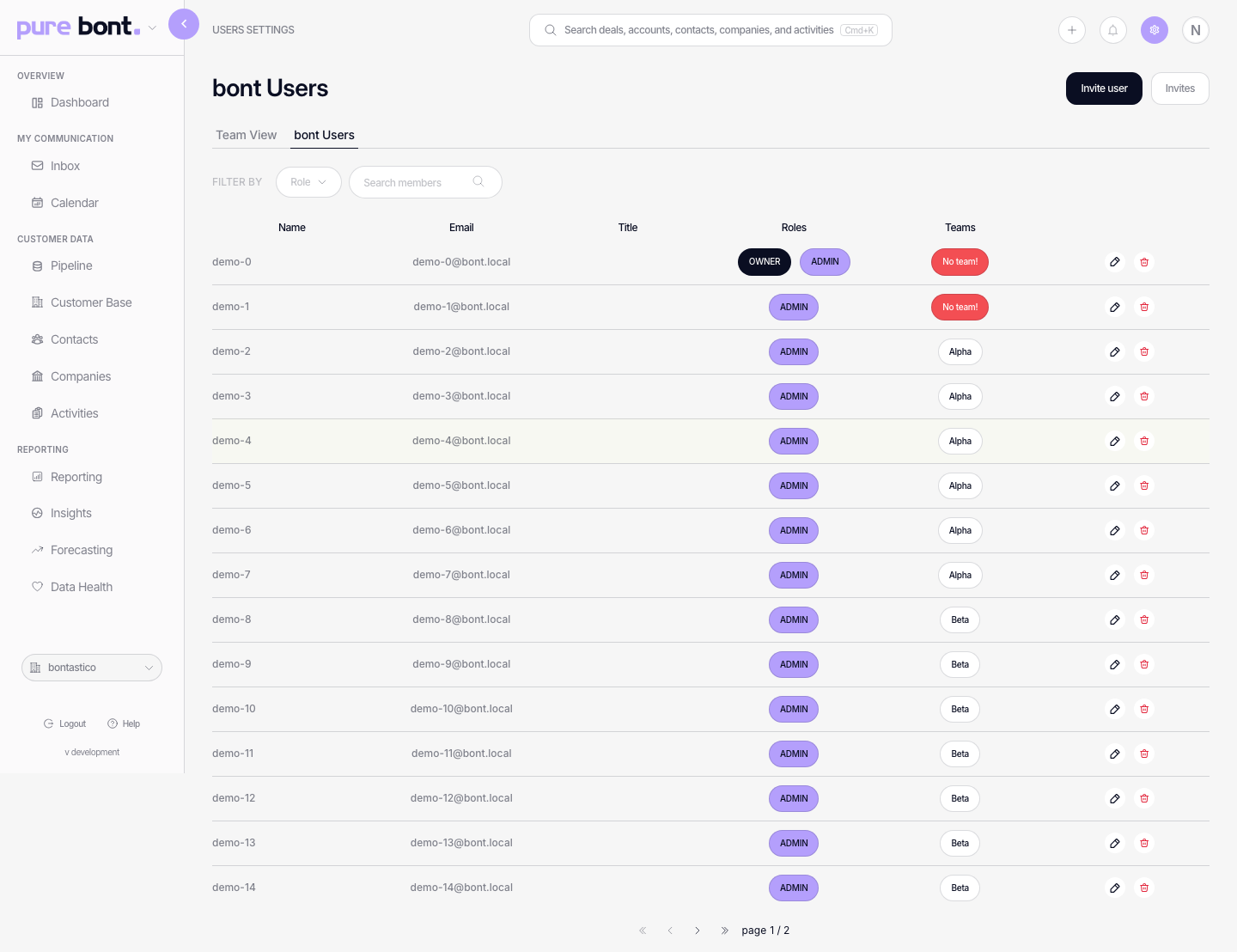
Open Settings → Members. The Members tab lists every active user with their role shown as a chip on the right.
Changing a role
Hover the row of the member you want to change. Click the pencil icon to open the edit dialog. Pick a new role from the dropdown — Owner, Admin or Member — and confirm.
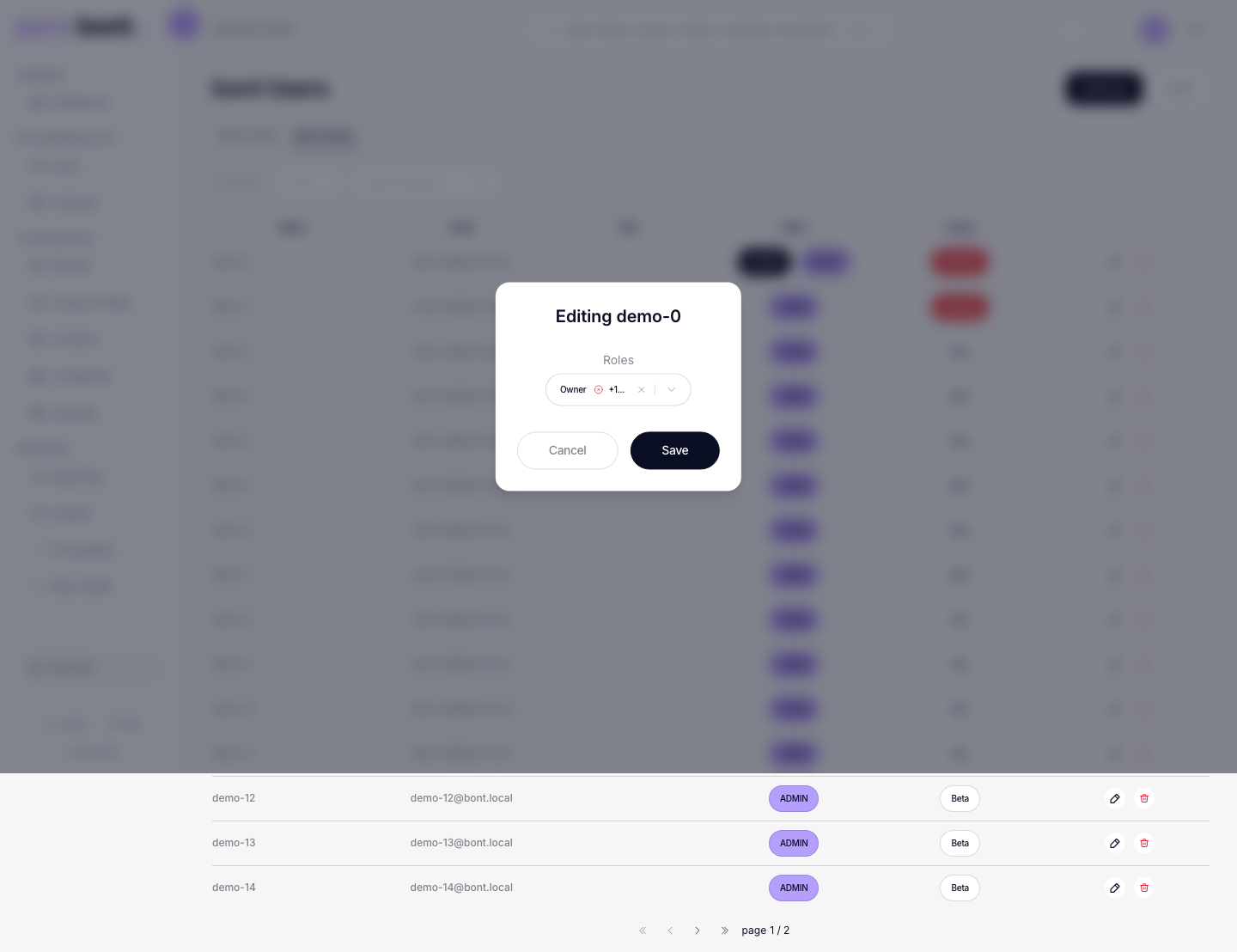
Role changes take effect immediately. The affected user might need to refresh the page to see the new permissions.
Removing a member
In the same row, click the trash icon. bont asks for confirmation since removal is irreversible from the UI — it ends the user's access immediately and they vanish from the Members list.
- The user's historical activity (notes, deals, emails) stays attached to them; deletion removes access, not authorship.
- If the user later needs back in, send a fresh invite — see Inviting teammates.
Roles cheat-sheet
- Owner — billing, workspace deletion, all settings, all members, all app data.
- Admin — settings and members, full app data access; no billing.
- Member — day-to-day app data, but no Reporting, settings or member-management access.
- Custom roles — workspaces can define their own roles with hand-picked permissions under Settings → Roles and access; they appear in the same dropdown when changing a member's role.
Troubleshooting
I can't remove an Owner
Owners are protected from being removed by anyone except other Owners. Demote them to Admin first, then remove. The very last Owner is always pinned — promote someone else first, then drop the outgoing Owner.
The "Remove" icon is missing on my row
You can't remove yourself. Ask another Owner or Admin to remove you, or transfer ownership and leave.
The user can still see the workspace
Their browser might be holding a cached session. Removal takes effect within seconds on the server; refreshing the page kicks them out.