
Integrations overview: what bont connects to and why
A directory of every system bont can pull from or push to — grouped by the role each one plays in bont's data model and scoring — and where to find each one in the app.
bont is most useful when it's wired into the tools you already run. The integrations page maps providers by the role they play in bont's scoring and data model, not by vendor name. That matters because bont's scoring is the thing turning your raw CRM data into prioritised work — every group of integrations below feeds a different slice of it.
The integrations grid
Most integrations live in one place per app — Settings → Integrations in pure bont, pitch bont and funky bont. Connected providers show a status badge; disconnected ones a Connect button.
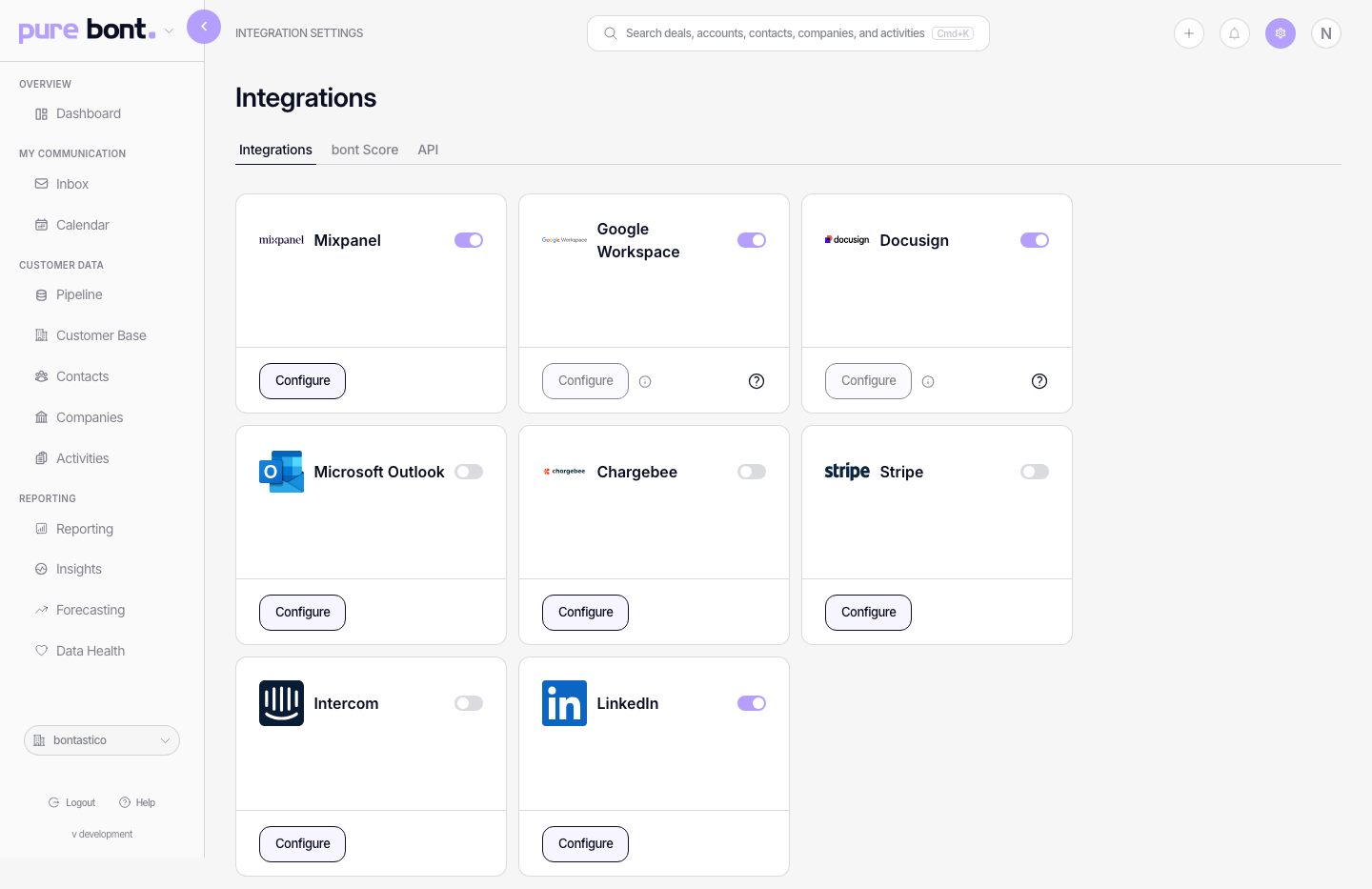
The categories
CRM
- Providers: HubSpot, Salesforce, Pipedrive, Cobra CRM and other enabled connectors.
- Where: Settings → Integrations → CRM in pure bont (and the other apps when configured for CRM-driven work).
- Why: this is the source of truth for contacts, accounts, deals and activities. Without it, the analytics, scoring and outreach loops have nothing to chew on.
- Read more: Connecting your CRM.
Meeting intelligence
- Provider: Klang.
- Where: Settings → Integrations. An admin connects the Klang workspace; an optional webhook can deliver completed conversations immediately.
- Why: adds completed meeting transcripts to the matching contact, company and open deals as a note.
- Read more: Connecting Klang.
Communication (email, calendar, LinkedIn)
- Providers: Google Workspace, Microsoft 365 / Outlook, LinkedIn.
- Where: Personal Integrations in base bont (or pure bont when base isn't enabled); in pitch bont, LinkedIn connects under Settings → Sending Accounts. Each user connects their own.
- Why: powers the unified inbox, calendar overlay, signatures, label sync, and — for LinkedIn — pitch bont's outreach. It also feeds the engagement signal in scoring.
- Read more: Managing your personal email and calendar integrations.
Outreach
- Providers: Instantly, Dialfire. (Lemlist was removed in August 2026 — pitch bont now sends entirely on its own infrastructure.)
- Where: Settings → Integrations in pitch bont (and pure bont when pulling outreach activity back into the AI companion).
- Why: if you already run an outbound tool, bont can read its activity to score contacts and feed the inbox without re-doing the sending side.
Product analytics
- Providers: Mixpanel (more on the way).
- Where: Settings → Integrations in pure bont and funky bont.
- Why: product-usage signals (active users per account, feature adoption) feed bont's product score component — the one that catches expansion and churn risk before sales activity does.
Support
- Providers: Intercom.
- Where: pure bont / funky bont integrations, only on workspaces with existing-accounts mode enabled.
- Why: ticket activity and CSAT feed the support score component — relevant for expansion motions where customer health drives the next deal.
Document signing
- Options: bont's built-in secure signing, plus DocuSign where enabled.
- Where: document templates are configured in base bont App Settings and used from a deal; provider connectors appear under Integrations when available.
- Why: generate a document from CRM data, collect signatures and keep its status attached to the deal.
- Read more: Document templates and secure signing.
Invoicing and billing
- Providers: Stripe, Chargebee.
- Where: Settings → Integrations in funky bont.
- Why: funky bont's GTM views and forecasting model pipeline against real billed revenue. This is also what makes CAC, NRR and existing-account analytics work.
Developer access
- API keys: pure bont → Settings → Integrations → API.
- Scoring configuration: pure bont → Settings → Integrations → Scoring.
If you don't see an integration you need
bont has a longer list of integrations in beta than what shows on the page out of the box. If a provider you use isn't visible, write to support@bont.ai — in most cases we can roll it out to your workspace within 1–2 business days. The same goes for anything labelled beta in the UI: it's gated until we flip it on for you.
Permissions
Most integration pages are admin-only — Members can use the resulting data but not connect or disconnect providers. The exception is anything labelled Personal (email, calendar, LinkedIn), which each user manages on their own account.