
Downloading invoices
Find and download past bont invoices from the Billing settings page — for accounting, expense reports and audits.
Every billing cycle on a paid bont plan generates an invoice you can download from the workspace Billing page. Invoices are scoped to the app the subscription belongs to, so check the right app's settings.
Step 1 · Open Billing
In the workspace, open Settings → Billing. The page lists the workspace's current plan and, below, every invoice we've issued.
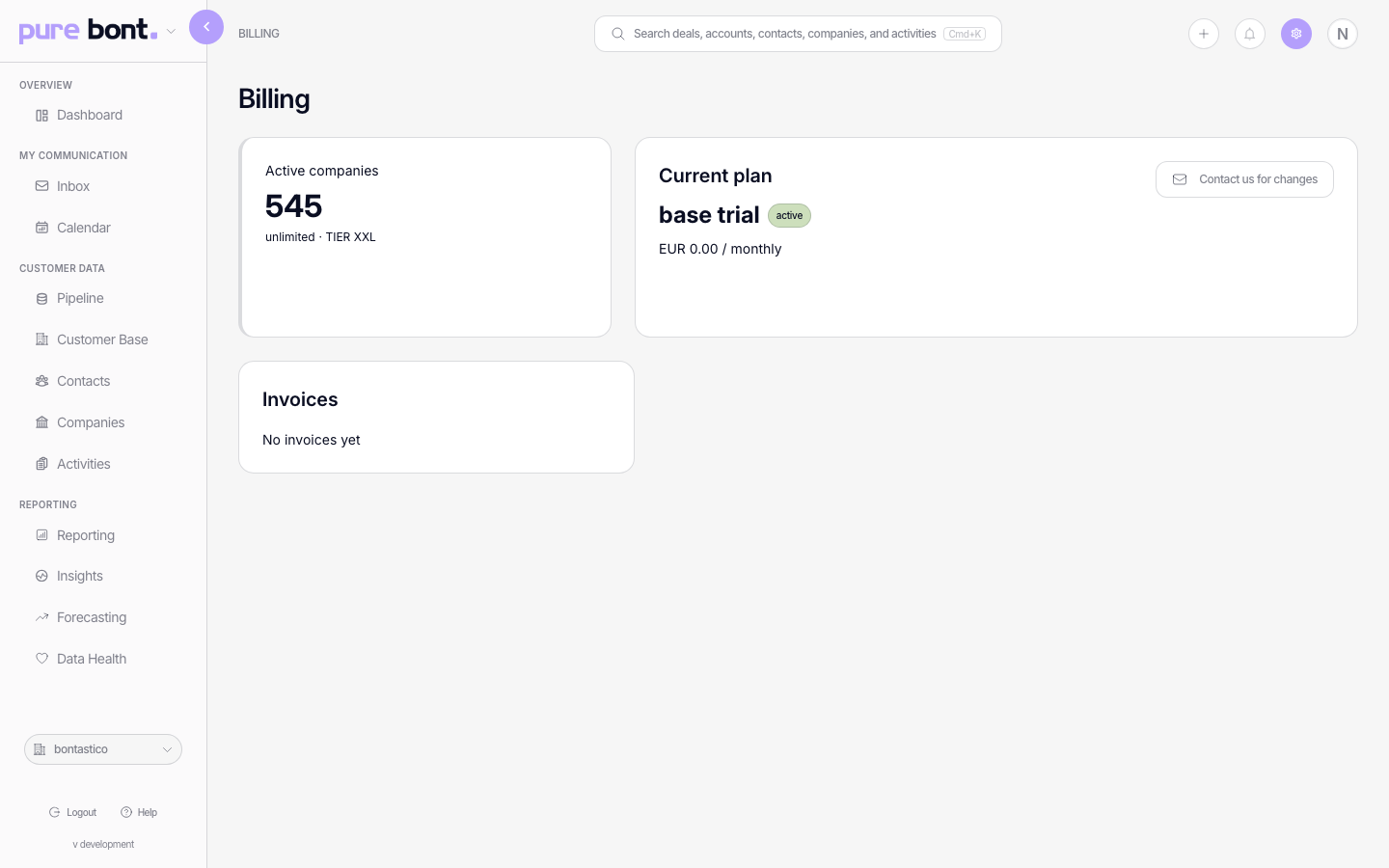
Step 2 · Download the invoice
Scroll to the Invoices section. Each row shows the invoice date, amount and
status. Click the row (or the download icon) to fetch the PDF. The file name follows the format
bont-invoice-YYYY-MM-DD.pdf — useful for filing.
Tips
- Invoices are PDF — bont doesn't expose a CSV export today. If your finance team needs structured data, email billing@bont.ai.
- Customer reference / VAT — these live in the invoice header. Update them by emailing billing@bont.ai with the change request; future invoices use the new values.
- One invoice per billing cycle, per app — workspaces with both pure bont and pitch bont subscriptions see invoices on both apps' billing pages.
Troubleshooting
I don't see any invoices
Either the workspace is on a free trial / activation code (no invoices issued) or your subscription is so new the first invoice hasn't been generated yet. If the current plan is Active and you've passed the first billing date, contact billing@bont.ai.
I can't see Settings → Billing
Billing pages are owner-only. Ask the workspace owner to download and share the file. We can also email the invoice directly — just ask billing@bont.ai.
I need an old invoice that's missing
Pre-self-service invoices (older workspaces) may not be listed here. Email billing@bont.ai with the date range and we'll attach the PDFs.