
Creating a campaign
Spin up a new pitch bont campaign — name, lead list, sequence steps, sending settings — and save as a draft to review before launch.
A pitch bont campaign is a named outreach sequence pointed at a lead list. Creating one is the first step before launching outbound to a group.
Open the campaign builder
In pitch bont, click Campaigns in the left navigation. Top-right click + New Campaign. The builder opens.
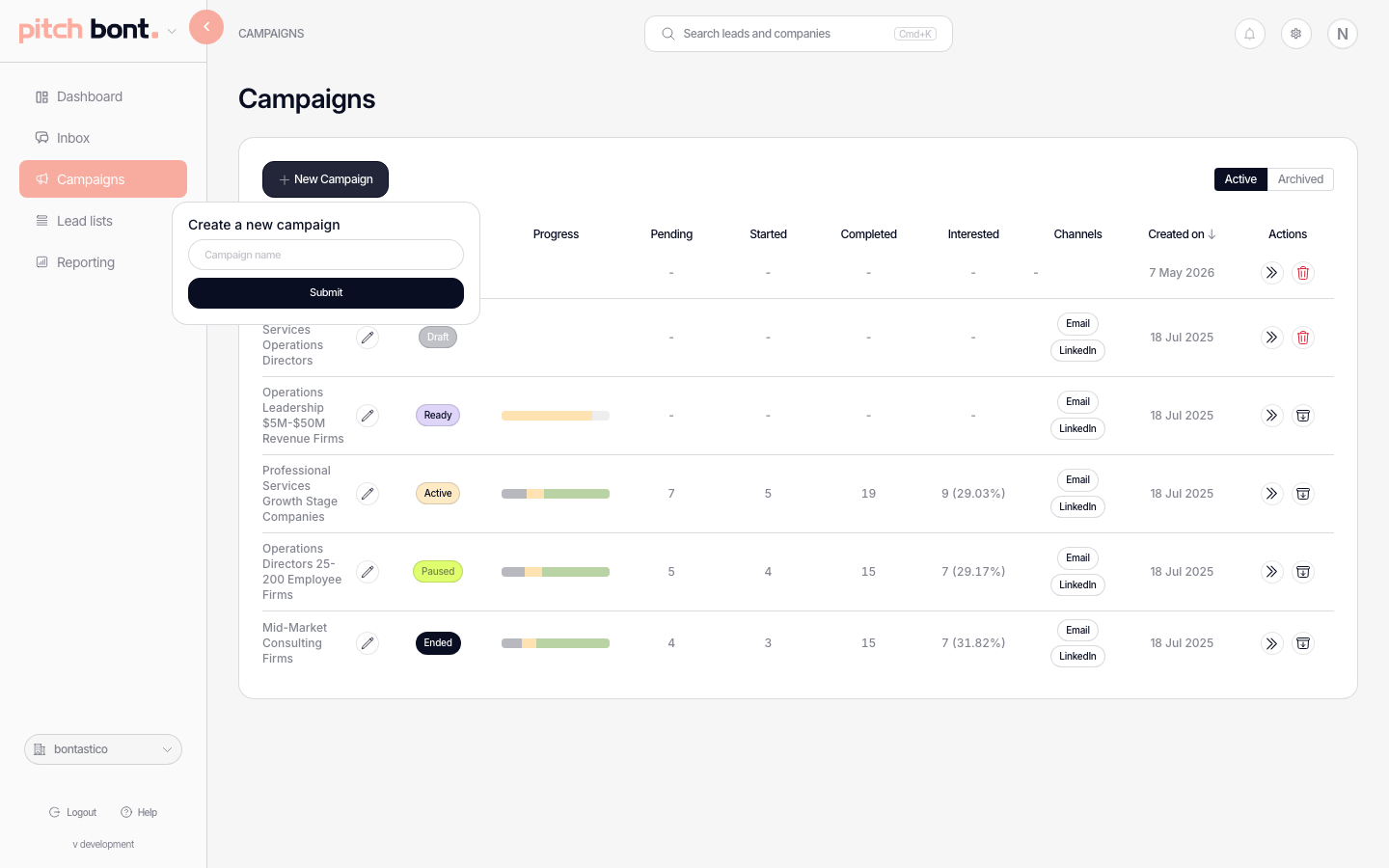
Fill in the basics
- Name — what reps see when they reference the campaign.
- Lead list — pick one (see Building a lead list) or create on the fly.
- Sender — which mailbox the campaign sends from. Multiple senders rotate across leads using automatic volume balancing.
- Schedule — sending window (weekdays, hours, timezone). See Configuring a sending schedule.
Add sequence steps
Each step is an action on one channel — email, LinkedIn touch, cold calling, letter, or a wait — with its own delay and exit conditions. Common cadence: Email → 3 days → Follow-up email → 5 days → LinkedIn → 3 days → Final email. Reply or bounce exits the sequence. Cold calling can run on its own or alongside the digital steps — see Cold calling campaigns.
Free LinkedIn accounts can be selected for invitation-only outreach, without an invitation message. See Connecting your LinkedIn account.
A letter is a physical mail-out and is always the first step, shown as an envelope block at the top of the sequence. The first digital step follows about 5 days after the letter goes out. The actual mail-out date is coordinated with bont — an admin sets it — so there are no address or credit fields to fill in.
Open and click tracking
Open and click tracking is a toggle that controls whether email opens and link clicks are recorded. The global default lives at Settings → App Settings → Sending Accounts → "Open and click tracking", and you can override it per campaign in the campaign config. When it's off, opens and clicks aren't recorded or shown in reporting for that campaign.
Save as draft
Click Save. The campaign sits in Draft until you launch — see Launching, pausing, and editing a campaign.
Admins and owners see a warning if the campaign configuration is inconsistent. When message generation finishes for every lead, bont sends a notification so the campaign can be reviewed and launched.