
Changing your password
Rotate the password on your bont sos. account from profile settings — for when you still know the current one and just want to change it.
Use this flow when you can still log in but want a new password — for example after sharing your current one with a teammate or before going on leave. If you've forgotten your password instead, see Resetting a forgotten password.
Step 1 · Open Profile settings
Sign in to bont, then open your profile settings. The page shows your account details with two security actions: Manage MFA and Change Password.
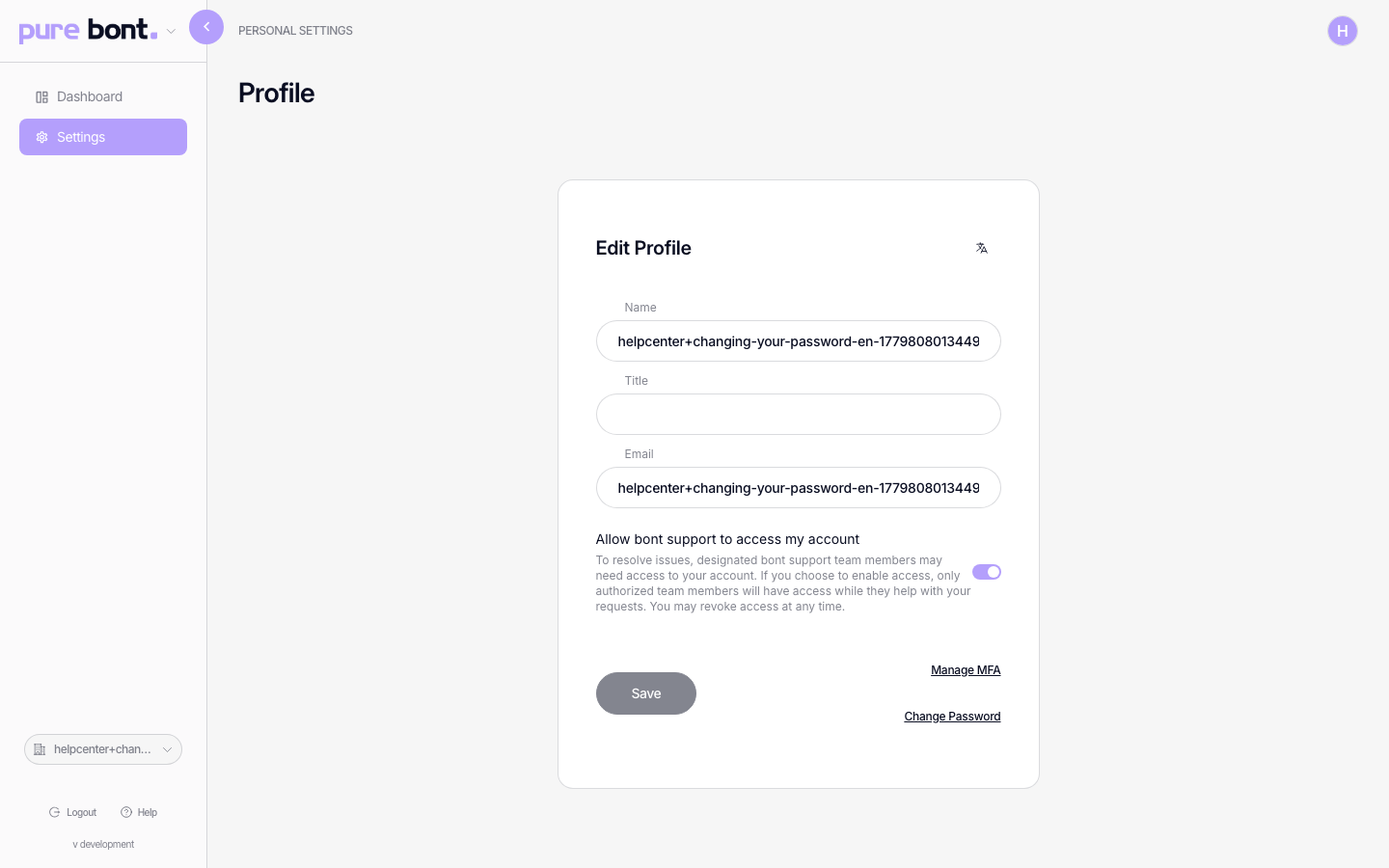
Step 2 · Request the change
Click Change Password — it opens the reset form directly. Enter a new password (at least 12 characters), confirm it, and click Confirm. You're signed in with the new password right away.
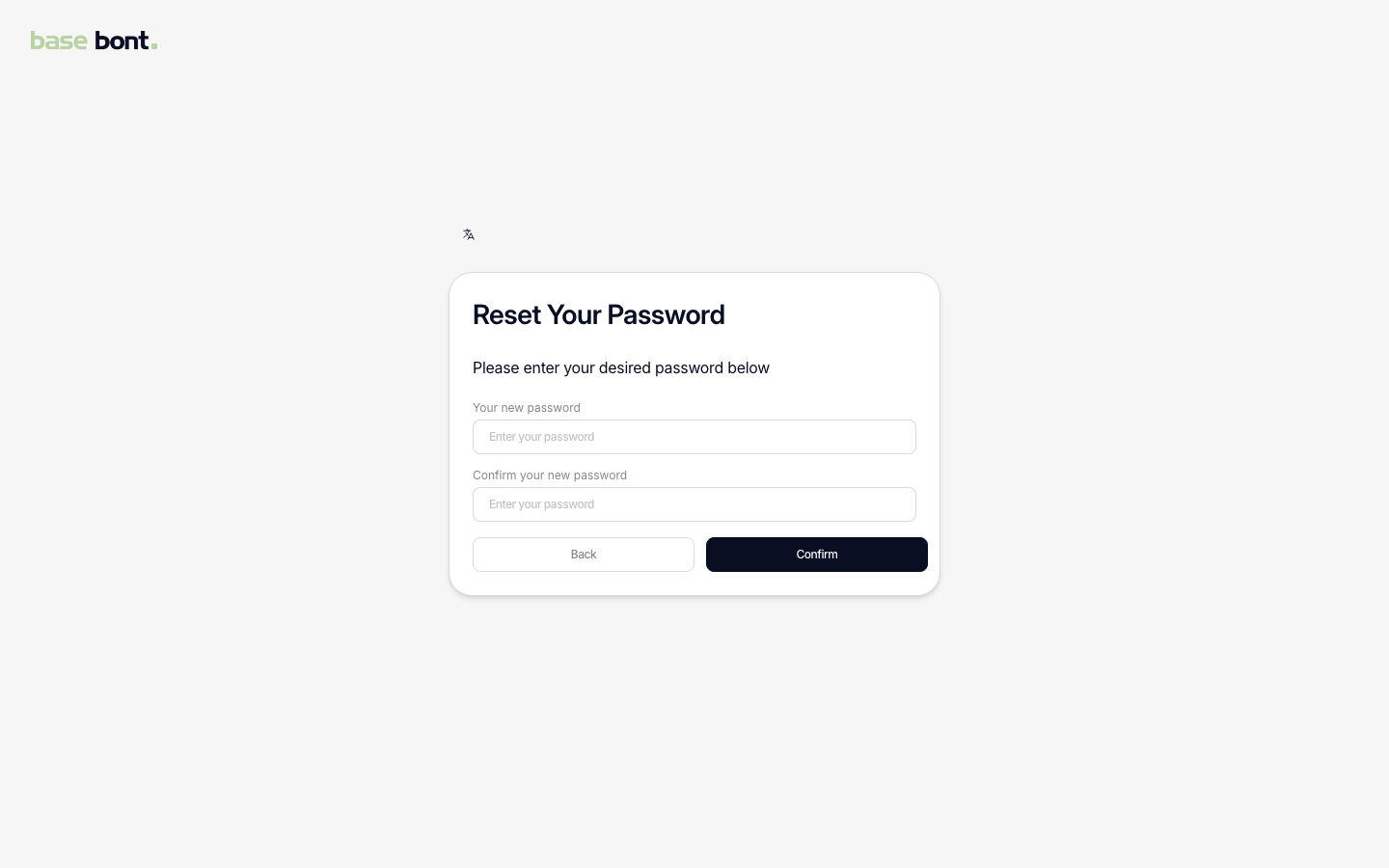
Locked out? Use the email flow
If you can't reach settings — say, you forgot the old password — click Forgot password? on the login page instead. That sends an email with a 6-digit code (or a link that takes you to code entry), and confirming it lands you on the same reset form. See Resetting a forgotten password.
Troubleshooting
I don't see the Change Password button
Accounts created with Google or Microsoft single-sign-on don't have a bont password — change it through your identity provider's account settings instead.
The email never arrived
Check spam and junk. Ask IT to allow mail from mail.bont.ai if corporate filtering is
blocking it. You can click Change Password again to resend.
The link or code expired before I used it
Password-change codes are valid for 24 hours. Click Change Password again from the profile page and use the newest email in your inbox.
Related
- Resetting a forgotten password
- Setting up multi-factor authentication (MFA) — a strong second factor is worth more than a frequent password rotation.