
Creating, editing, or deleting a contact
Add a new contact from scratch, edit fields inline on the profile, or archive a contact you no longer want in default views.
base bont treats contacts as soft-delete records. Creating uses a modal, editing happens inline on the profile, and deleting is really archiving — you can always restore.
Creating a contact
From Contacts, click + New Contact top-right. A modal opens with the fields configured in CRM configuration: Fields. The required fields are typically First name, Last name and at least one of Email or Phone.
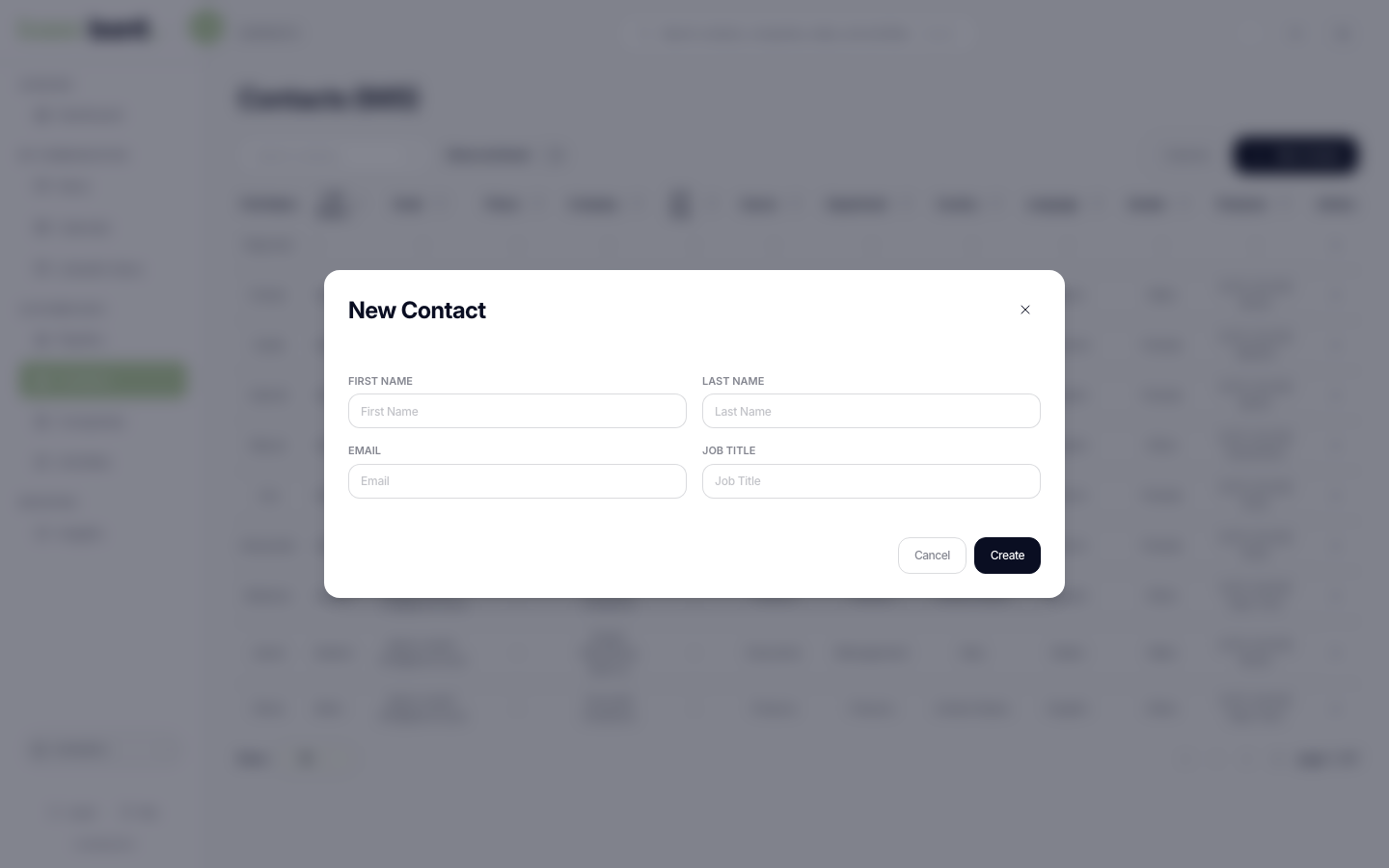
Click Create. The modal closes and bont lands you on the new contact's profile. A toast confirms "Contact created".
Editing a contact
Open the contact profile (see Viewing a contact profile).
- Name — click the name in the header; check/cancel buttons commit or revert.
- Sidebar fields — click any value in the Details card to inline-edit; press Enter or click outside to save. Empty fields show a placeholder dash.
- Bulk changes — there's no bulk edit on the list yet; do them one contact at a time.
Automatic field suggestions
As you fill in a contact, base bont quietly completes a couple of fields that are still empty — and only when they're empty, so it never overwrites a value you typed.
- Gender — enter a first name while Gender is blank and bont infers it from the name. A toast reads "Gender auto assigned to …".
- Time zone — set a Country while the time zone is blank and bont infers the time zone from that country. A toast reads "Timezone auto assigned to …".
Each inference is applied as an undoable change: the toast carries an Undo button for about five seconds — click it to revert that one field. Note this is the toast button specifically; a Cmd/Ctrl-Z keyboard undo does not reverse these changes.
Deleting (archiving) a contact
From the profile header, click Archive (trash icon, expands to label). bont confirms with "Archive contact? This contact will be hidden from default views. You can restore it at any time." Confirm; the contact disappears from the default Contacts list and any pipeline views.
- Restoring — open Contacts, toggle Show archived, find the contact, open it and click Unarchive.
- Hard delete — not exposed in the UI by design. If you need data gone for compliance reasons, contact support@bont.ai.
Troubleshooting
The contact was created with the wrong email
Inline-edit the email on the profile sidebar. If the contact is synced from a CRM, the change flows back to the CRM on the next sync.
I can't see the contact I just archived
Toggle Show archived on the Contacts list. Archived contacts are excluded by default everywhere — pipeline, activities, segments — until restored.