
Creating, editing, and completing an activity
How to log a call, draft a task, book a meeting note or cancel an activity in base bont — from the modal entry points to the detail-page view.
Activities can be created from the Activities list, from a contact, a company, or a deal — bont pre-fills the linked record based on where you started. Edits happen in a modal or inline on the activity detail page.
Creating an activity
Click + Add activity on the Activities list, the contact / company profile, or the deal sheet. The same modal opens.
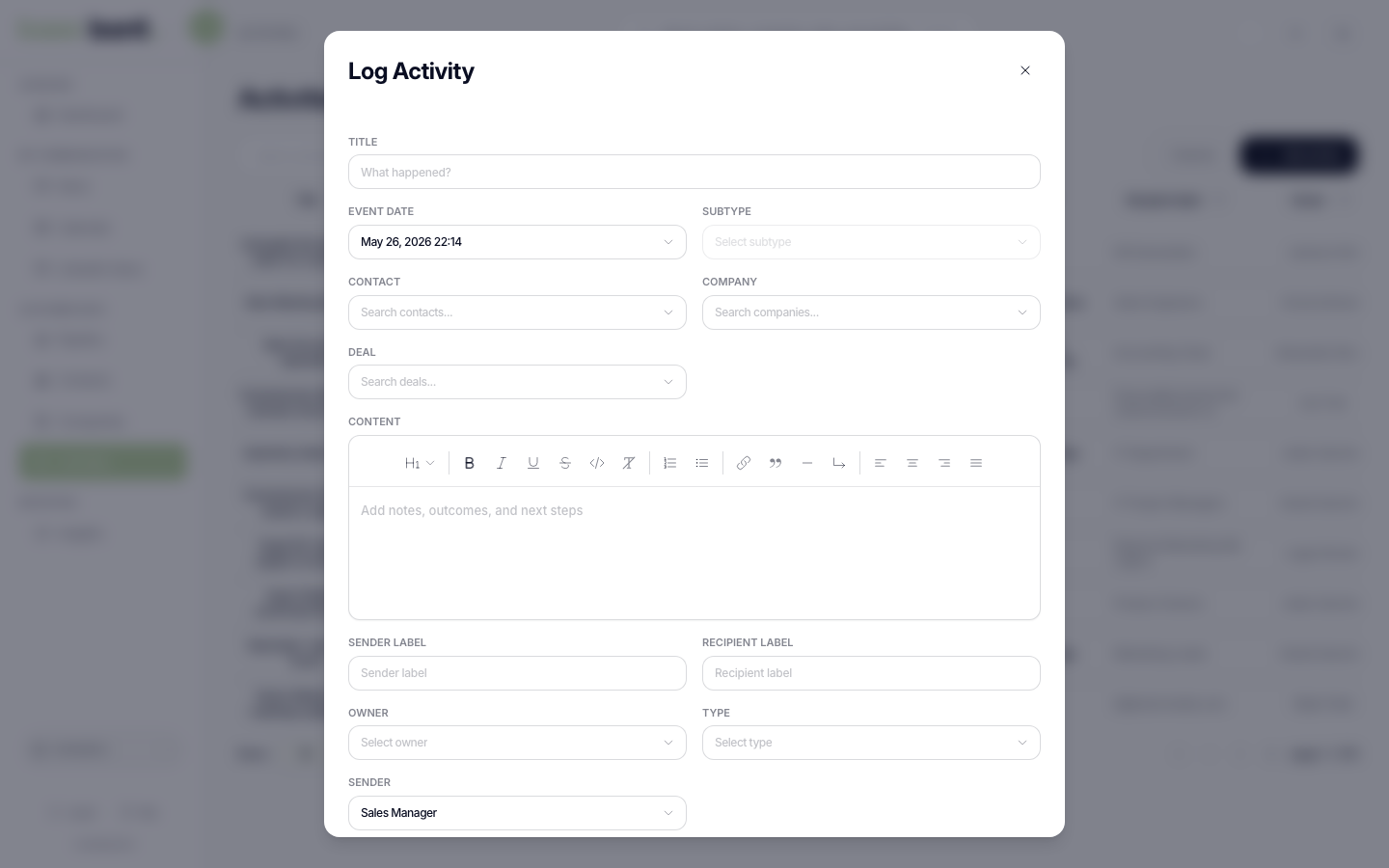
- Type — Call, Email, Meeting, Task, SMS, WhatsApp, LinkedIn, Mail, Support Ticket, Invoice, Stage Change, Other.
- Linked records — Contact, Company, Deal. Pre-filled from context; multi-link by adding more rows.
- Sender — for outbound activities (Email, SMS, WhatsApp, LinkedIn), the user or sending account that owned the activity.
- Event timestamp — when the activity occurred. Defaults to now.
- Due date — Tasks only. When the task should be completed.
- Subject / content — title plus rich-text body for notes and content.
Click Create. The activity lands in the relevant timelines immediately.
Editing
Click the activity row in any list to open the detail page. Inline-edit fields in the main area; re-attach to other records from the sidebar. Or click the activity from a timeline to open the edit modal for a quick change.
Completing or cancelling
On the activity detail page (or any timeline row):
- Mark completed — sets status to Completed; auto-fills the completion date. Useful for tasks; logged activities (calls, emails) can be marked complete to remove them from Pending filters.
- Cancel activity — drops the activity from Pending without claiming it was done. Used for cancelled meetings or no-shows. The cancelled-at timestamp records when you cancelled it.
Tips
- Email and meeting auto-sync — if you've connected Personal Integrations, most emails and meetings get logged automatically and you rarely need to create them by hand.
- Bulk complete — not exposed in the UI today; complete one at a time.
- Templates — there are no activity templates, but the rich-text body remembers your last format if you copy-paste.