
CRM configuration: Loss Reasons
Maintain the picklist of why deals are lost — and decide whether sales reps must pick one before closing a deal as Lost.
Loss reasons turn the "why did we lose?" question into a structured field instead of a free-text rant in the activity feed. Once configured, pure bont rolls them up into win/loss reports and competitor analytics.
Open it
Settings → App Settings → CRM configuration → Loss Reasons.
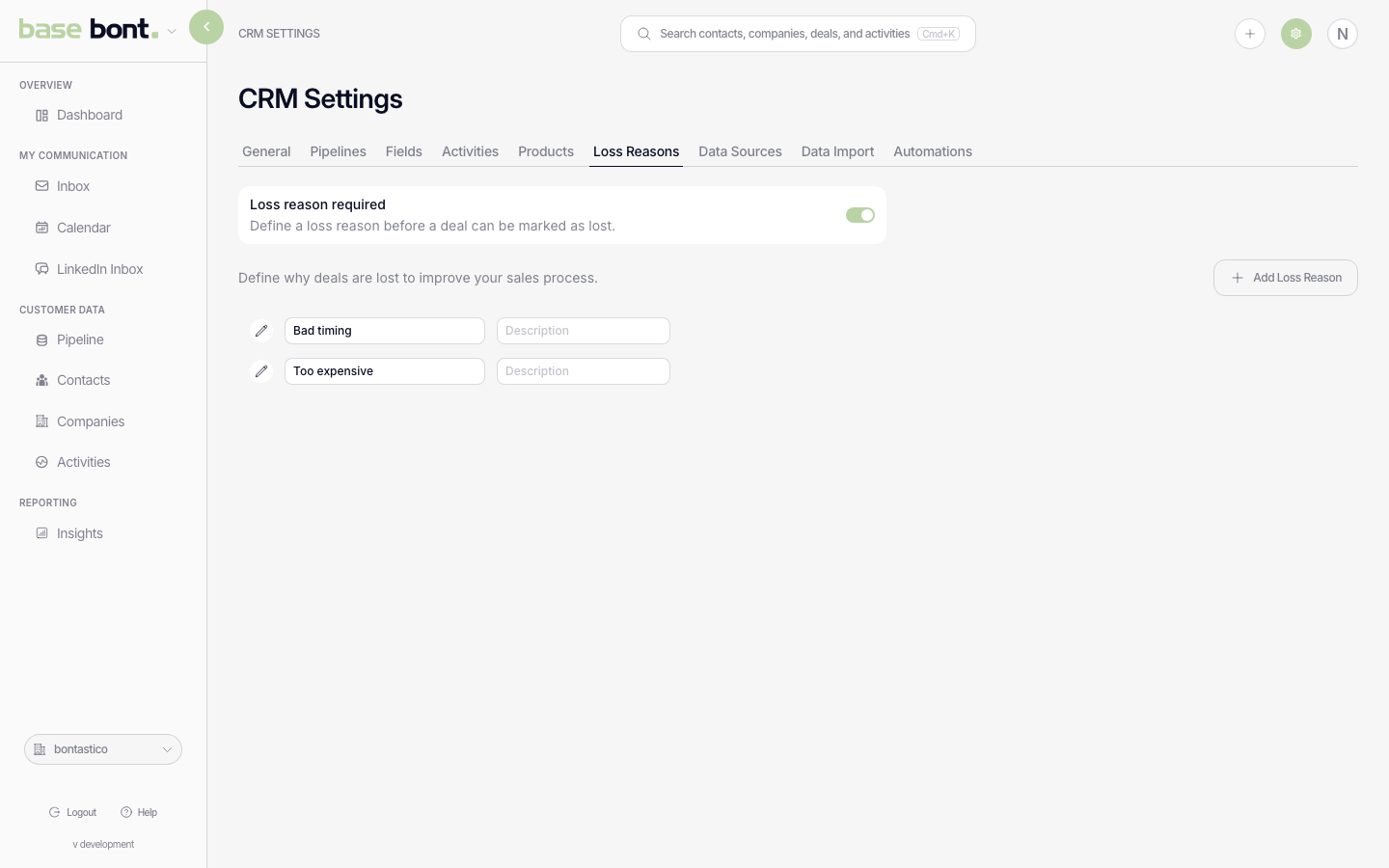
Required-on-close toggle
The toggle at the top of the page controls whether reps must pick a loss reason before bont commits a stage move into a closed-lost stage:
- On — moving a deal to a Lost stage opens a modal asking for the reason before the stage change is saved.
- Off — deals can be closed as Lost without a reason. The picklist still works; it's just optional.
Editing the picklist
- + Add — introduce a new reason (e.g. "Pricing", "Lost to competitor", "No decision").
- Inline rename — click a row.
- Reorder — drag rows up or down.
- Delete — trash icon. Deals that closed with the deleted reason keep their historical value; the reason just stops appearing on the picker.
Where they show up
- The loss-reason modal that appears on Lost stage moves (see Creating, editing, and moving deals between stages).
- pure bont's win/loss reporting groups deals by loss reason.
- The Deal Sheet sidebar shows the chosen loss reason for closed-lost deals.