
Viewing the pipeline (Kanban) board
Read the base bont pipeline board — stages as columns, deals as draggable cards, value and rep-score per card, plus filtering and List/Board toggles.
The Pipeline view is base bont's Kanban board: every deal stage you've configured (see CRM configuration: Pipelines) is a column, and every open deal is a draggable card inside it. Stage-level totals sit in the column headers so you can read pipeline health at a glance.
Open the Pipeline
Click Pipeline in the left navigation under Overview.
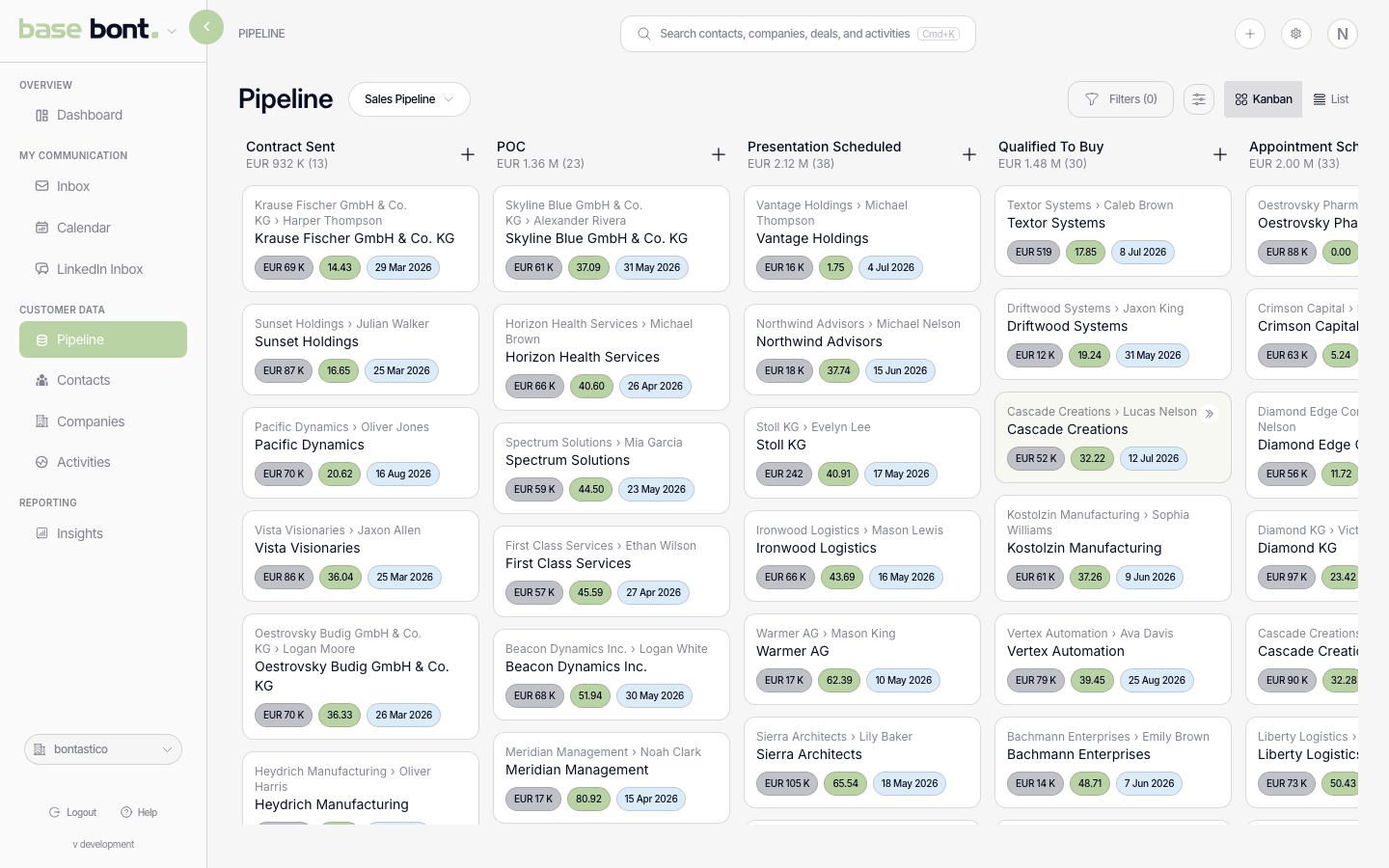
The board layout
- Stage columns — pulled from the active pipeline's stage list. The column order matches the configured stage order.
- Stage header — stage name, count of deals in the stage, sum of deal values (currency formatted compact, e.g. €1.2M).
- Deal card — name (always visible, bold), amount badge, rep-score badge, close date badge, on-hold indicator (red pause icon if flagged), drag handle.
- Empty stages — toggle Hide empty stages to collapse columns with no deals. Useful for very long pipelines.
Switching pipelines
Workspaces can have multiple pipelines (new business, existing accounts, partner deals). Use the pipeline selector in the header to switch. Each pipeline has its own stage layout and totals. Your selected pipeline is remembered per browser, so you return to the same one next time.
Filtering and view options
- Team — filter by deal owner / team. Useful for managers.
- Value range — minimum and maximum deal value.
- Close-date range — only show deals closing within a window.
- Display properties — pick which fields appear on each card: the standard fields such as amount, rep score and close date, plus any custom field your CRM defines. Choose them under Display Properties with Select fields; the selection is remembered for the board.
- Sort by — order the cards inside each stage column by deal value, close date or rep score; hovering a card property shows a tooltip label for it.
Board vs. List
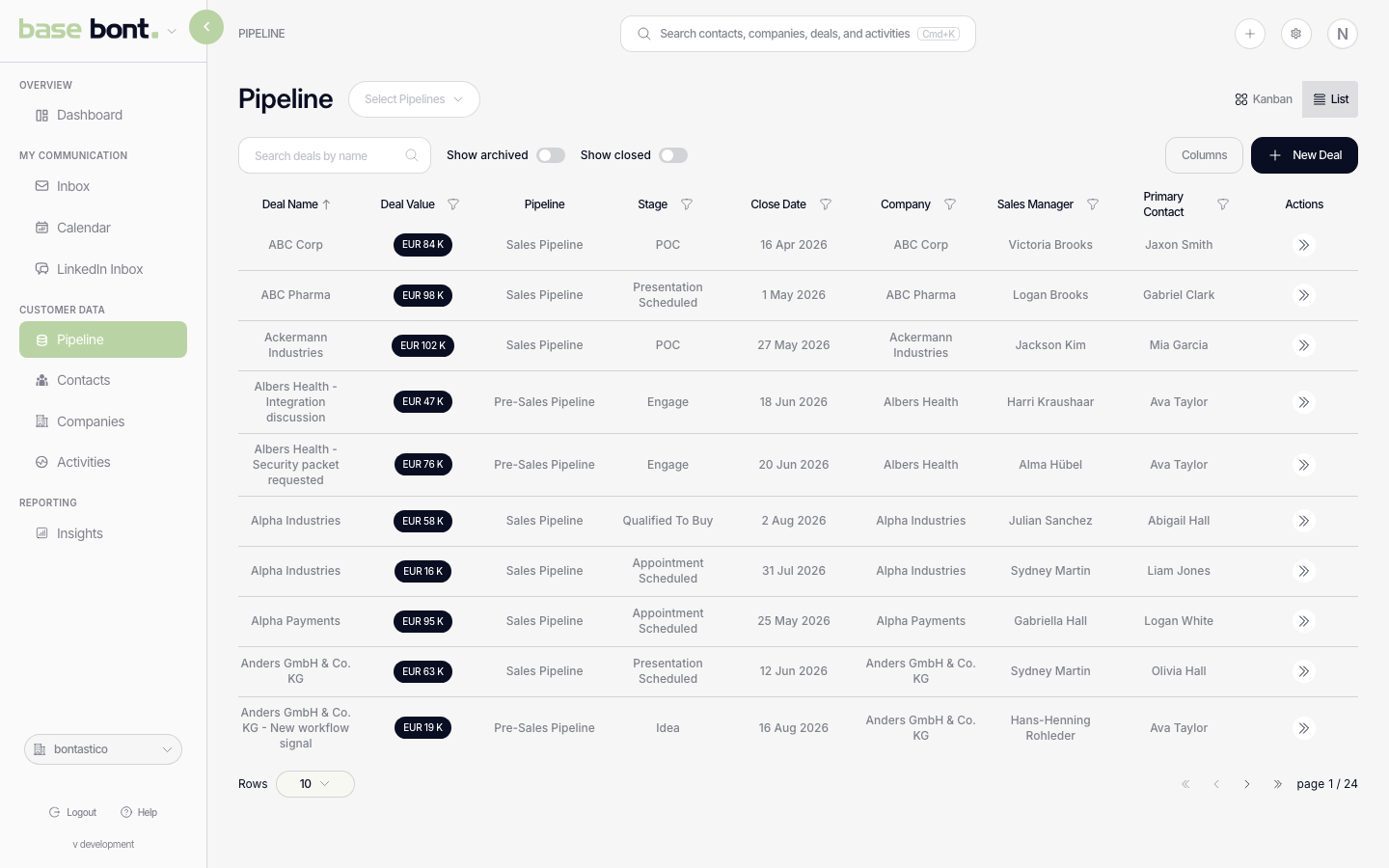
The header includes a Board / List toggle. List mode shows every deal in a flat sortable table with columns for name, pipeline, stage, amount, close date, probability, rep score, start date, created/updated dates. Click a column header to sort. Filters apply to both views, and your Board/List choice is remembered per browser.
List view also supports per-field filters. Each filter uses an operator — Is, Is not or Is any of:
- Is with a value — the field equals that value.
- Is not with a value — the field is anything except that value.
- Is any of — the field matches any value in a set you pick.
- Is with the value left empty — finds records where the field is missing or blank.
- Is not with the value left empty — finds records where the field has a value.
Tips
- Drag deals between stages — see Creating, editing, and moving deals between stages.
- Opening a deal — click any card or row to open the deal sheet; see Opening the deal sheet.
- Rep score — pulled from pure bont's scoring engine; without pure bont enabled the column is empty.