
Viewing a contact profile
Everything a single contact carries — activities timeline, custom fields, files, metadata — laid out on the contact detail page in base bont.
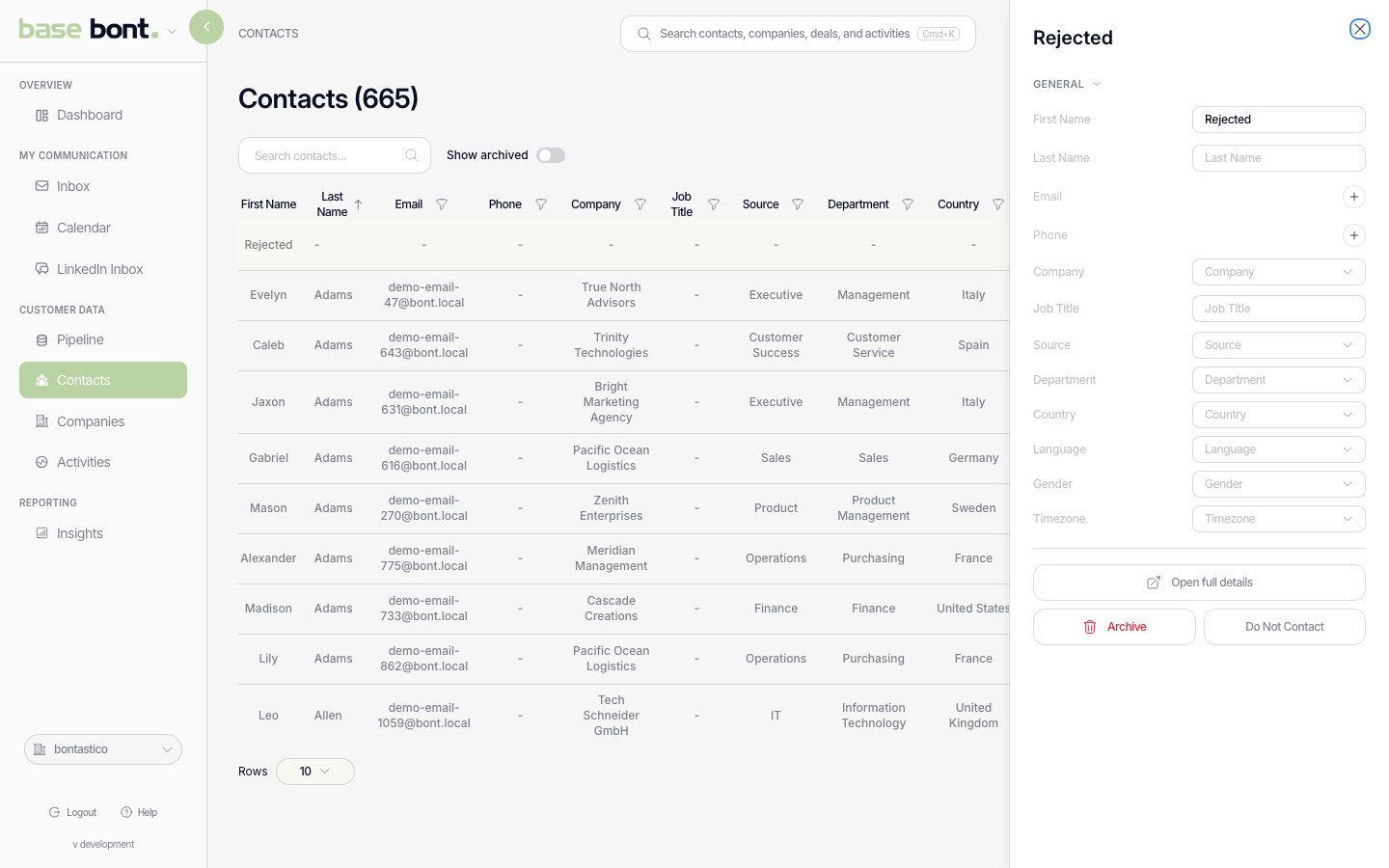
Click any contact row in the list (see Finding a contact)
and bont opens a quick-view drawer on the right with the most important fields
inline. To get the full profile — activities timeline, every field, files — open the drawer's
Open details link, or navigate to /base/{slug}/contacts/{id}
directly. The two views are deliberate: the drawer is for fast triage, the full page is for
working the record.
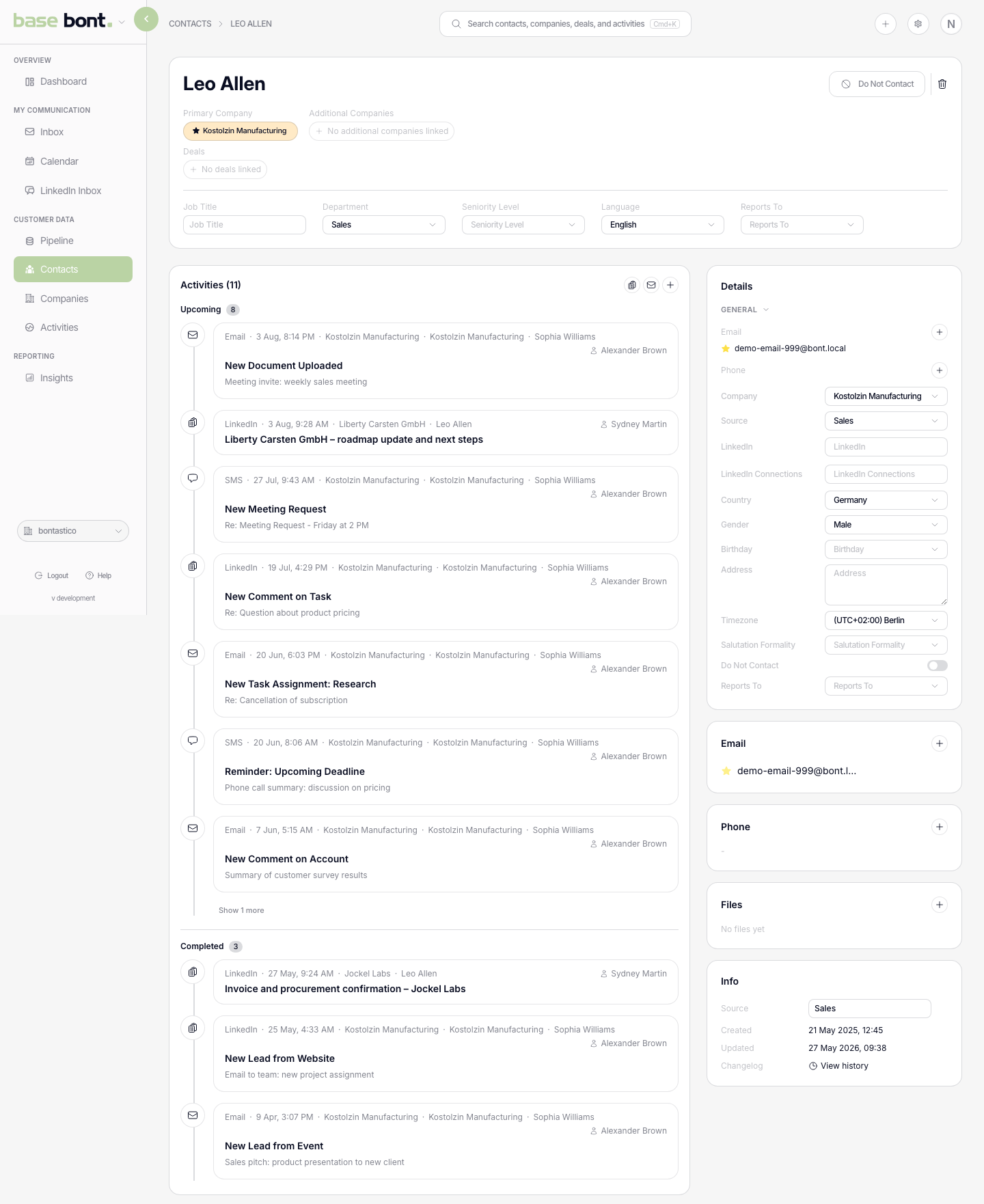
Header
- Name — click to inline-edit. The pencil opens the edit; check / cancel commit or revert.
- Status badges — Archived and Do Not Contact appear next to the name.
- LinkedIn link — opens the contact's LinkedIn profile in a new tab if you've stored a URL on them.
- Do Not Contact toggle — flag the contact so outbound from pitch bont and automated workflows skip them.
- Archive button — soft-delete; see Creating, editing, or deleting a contact.
- Merge — use the header action to find another contact, compare its fields and choose the primary record before combining a duplicate.
Activities timeline
The left column lists every activity attached to this contact in reverse chronological order — emails sent and received, calls logged, meetings booked, notes left. Each row is clickable to open the full activity. Add a new one with + Add activity at the top.
Sidebar
- Details — every CRM field on the contact (Source, Title, Phone, Email, custom). Inline-edit by clicking a value.
- Primary Email and Primary Phone — pinned at the top of the fields list for one-click copy.
- Files — attachments uploaded against this contact.
- Info — Source, Created date, Updated date, and a short activity log of who touched what when.