
Applying an activation code
Redeem a bont activation code during onboarding or from Billing to activate an app or trial, add credits, or apply a benefit to an active subscription.
Activation codes are bont's way of bootstrapping a subscription, granting credits or starting a trial without going through the billing team. If you've been given a code by a sales rep, an onboarding email or a partner deal, this is where you apply it. When in doubt about whether a code is still valid, paste it in — bont reports back immediately.
Where to enter the code
During a new workspace setup, enter the code in onboarding's Activation step. You can skip that step and redeem it later: open the workspace and target app, then Settings → Billing. The code section remains available when a subscription is already active.
Redeem from Billing
Scroll down — the Activation Code card sits below the Subscription and Current plan cards.
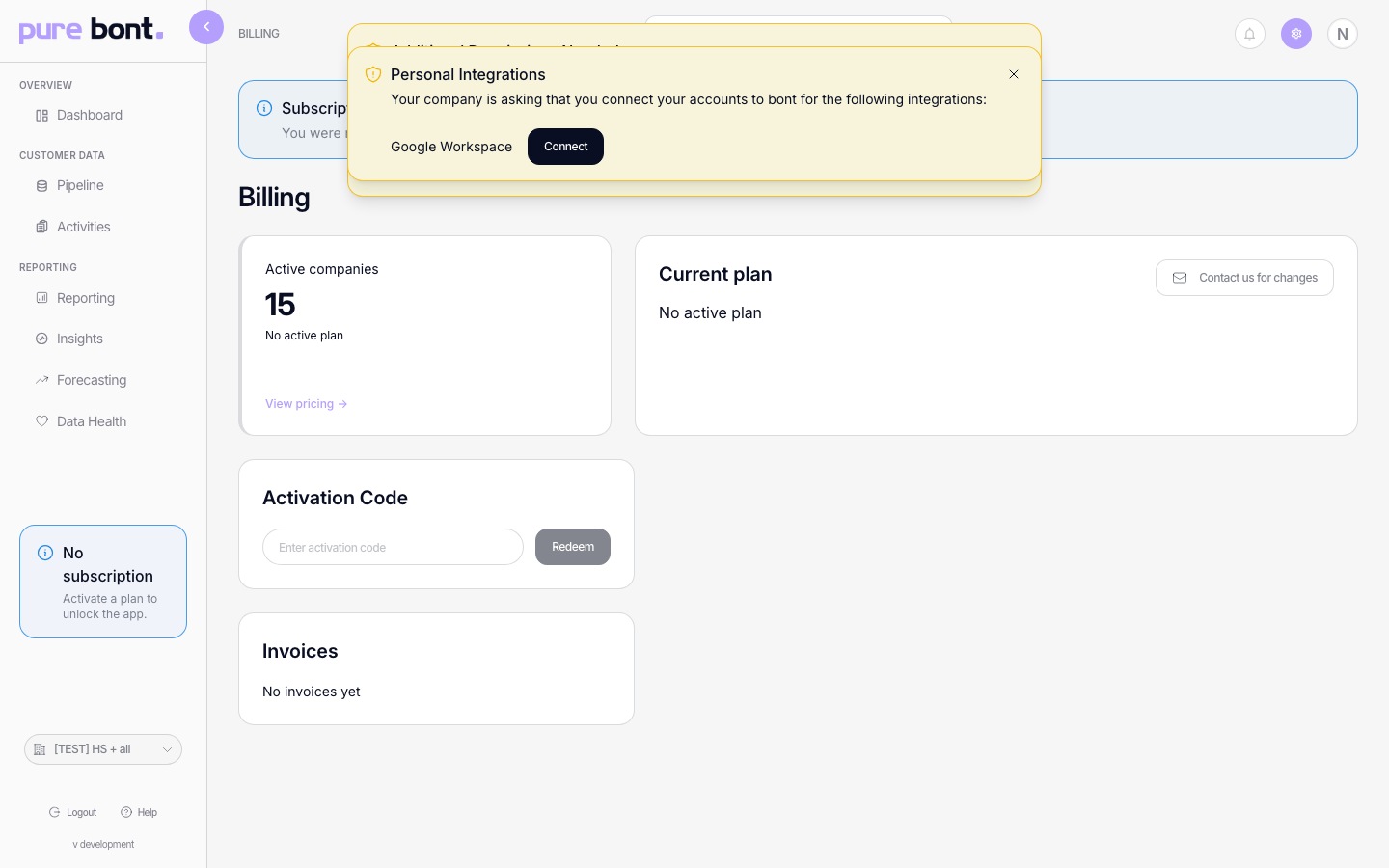
Enter the code and redeem
Paste the code into the Enter activation code field and click Redeem. bont validates the code and applies whatever it covers:
- Subscription — toast: "Subscription activated successfully". The Current plan card refreshes to show the new plan.
- Credits / tokens — toast: "{{amount}} credits added to your account".
- Generic activation — toast: "Activation redeemed successfully" for codes that don't map to a plan or credit balance.
A code can also add access or a benefit without replacing another active app subscription. The result shown after redemption is the source of truth for what that code applied.
If the code is invalid, expired or already used, you'll see: "Failed to redeem activation code". Re-check the code; if it should still be valid, contact billing@bont.ai.
Troubleshooting
"Failed to redeem activation code"
- Check the code — paste it again, character for character. Watch for trailing spaces or missing dashes.
- Wrong app — a code issued for pure bont only redeems on the pure bont billing page; same for the other apps.
- Already used — most codes are single-use. If yours was redeemed already, the billing team can confirm; email billing@bont.ai.
- Expired — promotional codes have a validity window. Email billing@bont.ai to request a fresh one.
I redeemed the code but my plan didn't change
Refresh the Billing page. The Current plan card should reflect the new subscription. If it still reads No active plan after a refresh, email billing@bont.ai with the code and the timestamp — they can reconcile manually.
Can I redeem the same code in two workspaces?
No. Each code maps to a single redemption. To set up multiple workspaces, request multiple codes or just ask billing@bont.ai to provision them directly.